Kingston Knowledge Center
Learn about memory and storage products, the latest technology trends, tutorials and best practices for both personal and enterprise users.

-

Are You Close to the Edge? Why Edge Computing Needs Security
Rob May shares his thoughts on how close we are to edge computing and the security it requires.
-

Enterprise Capabilities in the Palm of Your Hand: A Videographer’s Experience with the DC500M
The high-performance DC500M Server SSD is the best storage choice for a pro videographer.
-

How Memory and Storage Have Supported the Digital Evolution
Memory and storage have evolved over the years. Get an insight from our industry expert.
-

How to Set Up Parental Controls on your PC or Mac
Setting parental controls on your computer doesn’t have to be complicated. Here's how.
-

21st Century Private Diary
Write your diary digitally with a password protected, cloud backup solution.
-

A Kingston Gift Guide for STEAM Majors
Here are some tech gift ideas for the STEAM major students in your life.
-

Accelerate Your Server Performance with SSD RAID Arrays
Our partnership with Microchip’s RAID controllers helps deliver high performance for server storage.
-

Is It Time to Upgrade Your PC Build?
It's important to pay attention to the performance of your PC to know when you need to upgrade.
-

How to Install an Internal 2.5” SSD
Installing an internal SSD is easy and can improve the overall speed of your desktop PC or laptop.
-

Case study: How Simply Hosting benefited from collaborative service and support
Kingston helped optimize Simply Hosting’s storage in its data centers to ensure they were always on.
-

How Kingston helped lower data center power costs by 60%
Learn how Kingston helped to lower power costs and increase performance so Hostmein could deliver on SLAs.
-
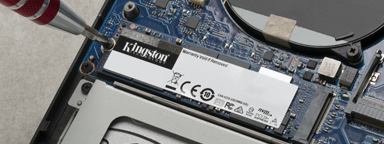
How to Install an M.2 SSD
This is a step-by-step guide on installing an M.2 SSD into a laptop or desktop PC.