Mobile Lifestyle - Kingston Knowledge Center
Learn about the portable storage and connectivity solutions for getting work done away from the office. Read about the benefits of portable flash storage and hubs for use with laptops and smartphones.

-

How to Set Up Parental Controls on your PC or Mac
Step-by-step guide to setting parental controls on PC and Mac to keep kids safe online.
-

Upgrade Your ROG Xbox Ally’s SSD
Learn how to install a new SSD in your ROG Xbox Ally with this step-by-step guide.
-

Benefits of SD8.0
The SD8.0 differs from its predecessors so greatly a whole new Speed Class was created for it.
-

How To Format Your SSD In Windows and MacOS
Step‑by‑step guide to formatting your SSD and choosing the right settings.
-

How to Format a USB Flash Drive in Windows and Mac
USB compatibility issues? Learn how to format drives correctly for both Mac and PC.
-

How To Use Your Old SSD As an External Storage Drive
Upgraded your SSD? Reuse the old one as extra storage with a DIY enclosure or adapter.
-
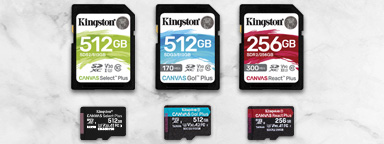
A Guide to Speed Classes for SD and microSD Cards
What does Speed Class C10 mean? What is a UHS Class and V Class? It relates directly to how fast the device needs to write the data.
-

How to Upgrade Your MSI Claw’s SSD
Replace your MSI Claw’s SSD: the process from start to finish.
-

The Future of the USB Standard
An examination of the past, present, and future USB standards.
-

Getting the Most Out of Your External SSD: Gaming, Editing, Backup
Explore external SSD uses for gaming, video editing, backups, and portability.
-
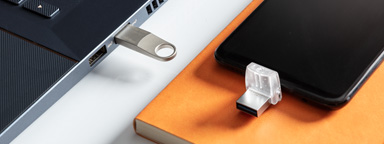
What’s the Difference between USB 3.0, 3.2 Gen 1 and 3.2 Gen 2?
USB 3.1 Gen 1 supports speeds of up to 5Gbit/s while USB 3.1 Gen 2 supports speeds of up to 10Gbit/s.
-

Replacing a Steam Deck’s SSD
Learn how to upgrade your Steam Deck with Kingston’s comprehensive guide.


