Data Security - Kingston Knowledge Center
Read helpful articles by Kingston’s experts on data security and encryption for portable devices out in the filed as well as security best practices and advice in the enterprise and data center environment.

-
Kingston's FIPS Compliance for Encrypted Storage
Most IronKey and Kingston secure USB flash drives are FIPS 140-2 Certified.
-

Reliable Backups for Cloud Computing
A look at how companies manage their systems when cloud computing is unavailable.
-

Understanding EU Data Sovereignty: Compliance, Cloud Risk & Data Control
Your guide to EU data sovereignty, risks, and secure data storage strategies.
-

Everything You Need to Know About Encrypted USB Drives
Discover how encrypted USB drives protect your data, and which type fits your needs.
-

How to Securely Erase an SSD Before Sale or Disposal
Learn the right way to protect data and prepare it for safe reuse or recycling.
-

Healthcare Data Breaches: A Persistent Threat Despite Cost Reductions
Breaches remain a major threat. Explore the need of comprehensive cybersecurity measures.
-

How to Choose the Right Drive For Your Data
Here is a list of USB security features to consider for data protection.
-

The 3-2-1 Data Backup Method: Your Best Defense Against Ransomware Attacks
Learn what the 3-2-1 data backup method is and why it is your best defense against ransomware.
-
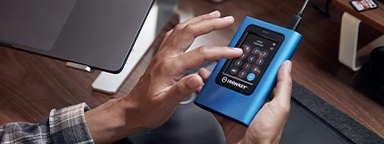
Expert Best Practices for Safeguarding Your Information
Learn data security best practices with Dr. Vynckier, and the importance of offline backups.
-

Defense in Depth: Expert Insights on Building a Multi-layered Cybersecurity Strategy
David Clarke covers encryption, superuser safeguards, vulnerability management, and training.
-

How EgoMind Secured Hybrid Work Data with Kingston IronKey
Learn how Kingston IronKey's solutions helped EgoMind enhance their data security hygiene.
-

The Difference Between Enterprise & Client SSD
The differences between SSD classes lies in two components; the processor and the NAND memory.


