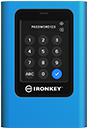
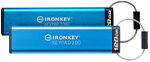
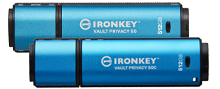
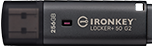
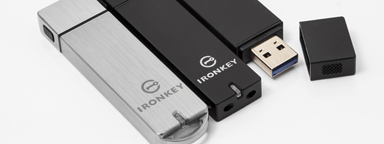
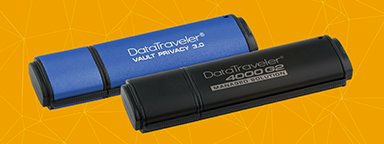
Encrypted USB flash drives are portable storage devices with security features to protect sensitive data. They go beyond standard USB drives by using encryption technology to ensure that only authorized users can access the information stored on them through password authentication.
As data breaches and accidental losses become more common, secure, password protected USB drives have become an essential tool for anyone who carries confidential files. Whether it’s financial reports, client information, or personal records, there is a drive for every need. And for those serious about security, hardware-encrypted drives with built-in, always-on encryption offer multiple layers of protection against theft, hacking, or misplaced devices.
In this guide, we’ll break down how encrypted USB drives work, the features that set them apart, and who benefits most from using them.
What is an encrypted USB flash drive?
An encrypted USB drive looks just like any regular USB drive; it is small, portable, and easy to plug into your computer and use. What makes it different is that while the standard drive stores files in plain form, an encrypted drive locks them behind a layer of security. They help ensure sensitive information stays protected, even if the device is lost or stolen.
In general, there are two main types of encryption used in USB drives, hardware and software encryption. They are not the same, and understanding the difference can help you pick the right one:
Hardware-encrypted USB drives
These drives have a built-in secure microprocessor that handles all security tasks internally, making them both safer and easier to use than software-encrypted drives. As soon as you save a file on your USB, the drive automatically encrypts it, turning your data into unintelligible data. Only someone with the correct security key; password, PIN, or passphrase can unlock it and retrieve the original content.
All encryption and decryption happen automatically within the drives themselves, providing you with security in every byte, so your files are never exposed if lost or found by someone.
Hardware encryption is built directly into the USB drive, so encryption is “always on” and there is no way for users to turn it off. This means your data is protected against the most common attacks, such as malware, thanks to the USB drive’s digitally signed firmware, which ensures that only trusted software can run. It also defends against brute force attacks, where a preset number of wrong password attempts triggers a crypto-erase process that securely wipes the data from the USB drive.
Hardware-encrypted drives with AES 256-bit encryption, a widely recognized global standard for strong data protection, are the go-to option for government, healthcare, legal and financial institutions where legal or regulatory compliance requirements are strictest.
Software-encrypted USB flash drives
Instead of a built-in secure microprocessor, these drives rely on software installed on the host computer to encrypt and decrypt data. While they’re often more affordable, they are less flexible because you can only access your data on a computer that has the required software installed.
This also introduces potential vulnerabilities, because if the computer is compromised by malware, the encryption process could be intercepted, and passwords or encryption keys can be read inside the computer’s memory. And because the protection depends on software, the encryption can be turned off by simply reformatting a drive, and password guessing limits can be bypassed, leaving the drive’s data even more vulnerable to attacks. Software-encrypted drives also tend to be slower as they rely on the computer’s CPU to handle encryption.
Think of hardware encryption as a “digital safe” you carry with you. Without the right combination, what’s inside is not accessible. Even if you drop it on the street or someone tries to open it on another computer, your information stays protected. While software encryption is more like locking your files with a program on your computer. If the computer is compromised by malware or hackers, the encryption can be bypassed, putting your data at risk. This is why for most users and cases, hardware-encrypted USBs are the simpler and more reliable choice.
How does an encrypted USB flash drive work?
When you plug in the encrypted USB flash drive, it usually asks for a PIN, password, or passphrase. That’s your key; without it, the drive remains locked and unreadable. Once the correct key is entered, the drive’s secure microprocessor automatically decrypts your files, letting you access them as normal.
The encryption process starts when files are written to the drive. They’re automatically converted into unreadable code using encryption algorithms. The most common one is the Advanced Encryption Standard (AES) 256-bit in XTS mode which was developed by NIST and is now the de facto commercial encryption standard worldwide.
Without the correct password, PIN, or passphrase to initiate decryption, the data remains inaccessible. If someone were to plug the drive into a computer without authorization, they’d see unreadable, unformatted data.
Some advanced encrypted drives include security features that go beyond encryption, like self-destruction and tamper-resistance. For example, multiple failed login attempts can trigger a complete wipe of the data (called crypto-erase). Others use special tamper-resistant solutions to protect internal components from penetration attacks such as taking out the storage chips to try to reverse data encryption.
Cross-platform compatibility is another important thing to consider. Some encrypted USBs are designed to work on multiple operating systems (Windows, macOS, Linux) without needing to install software, while others are designed to work on mass-storage USB ports regardless of operating systems (OS independent). This makes them ideal for professionals who move between different environments but still need consistent data protection, as well as industrial use cases where USB drives are inserted inside lab equipment or machines.