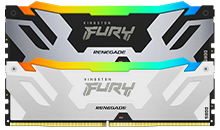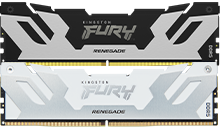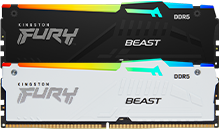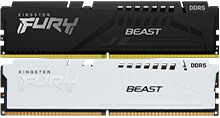
In the world of PC hardware, pushing the limits of memory speed beyond the preset manufacturer overclock profiles has become a thrilling showcase of technical prowess. Enthusiasts and professional overclockers routinely break records by achieving tremendous speeds on memory modules using highly specialized setups. These feats often involve unconventional cooling methods and custom configurations that are far removed from everyday computing. While these records highlight the potential of memory technology and bring accolades to overclockers and hardware manufacturers, they don't offer practical, real-world guidance for typical users looking to build or upgrade their systems.
How do they do it?
- Engineering samples
Professional overclockers often use cherry-picked hardware components not available to the average consumer. Processor and memory module manufacturers may screen from hundreds or even thousands of components to offer them the best potential overclockability to achieve a record. These are then paired with specially modified motherboards designed to support extreme performance levels. - Extreme cooling
Breaking the top memory speed records using conventional air or water cooling is next to impossible. To hit extreme speeds, the processor’s memory controller and the memory module must be pushed further down than these coolers can sustain. The pros use liquid nitrogen, which cools the components to sub-zero temperatures, and require special equipment to safely manage the potentially dangerous chemical throughout the cooling process. - Single DIMM configurations
Most record attempts use only one memory module. This is done to reduce electrical noise, improve stability, and lessen the load on the processor’s memory controller. - Loose latency timings
To hit the extreme speeds, a sacrifice usually comes from latency timings. For example, a record of DDR5 12,872MT/s used CL68-127-127-127, which were extremely loose when compared to off-the-shelf modules at lower speeds. - Limited stability
Most records are achieved and validated just long enough to capture a screenshot or benchmark. They are not stable for real-world use such as daily computing, gaming, or rendering.
For most users, here’s what matters more than raw speed:
Speed and Latency: A well-balanced overclock memory kit with good speed and low latency, such as DDR5-6000 CL30, provides excellent real-world performance.
Compatibility: Confirm your motherboard and processor model support the desired overclock speed. This can usually be found on the motherboard’s QVL (Qualified Vendor List).
Check out Kingston’s Configurator where you can look up your specific motherboard model and see which overclock kits are supported.
Reliability and Warranty: Ensure that the memory kit you purchase is thoroughly tested by the manufacturer before it leaves the factory and that it has a lifetime warranty.
Choose the right components for your needs
Memory overclocking world records are thrilling demonstrations of technical skill, but they are not practical benchmarks for everyday users. Instead of chasing the highest speed, it’s wiser to focus on balanced, stable, and compatible memory kits that suit your actual computing needs. Hitting the edges for speed and latency requires high-end components, which for most users would be overkill. Most mainstream motherboards and processors can deliver noticeable performance improvements above spec without compromising stability. Invest in components from manufacturers that emphasize quality through rigorous testing, thorough QVL support, certifications like Intel XMP and AMD EXPO, and offer a lifetime warranty.