Personal Storage - Kingston Knowledge Center
Learn about the benefits of storage solutions like SSDs, USB flash drives, and memory cards. Read about the latest storage technology for cameras, smartphones, drones, and more.

-

The Lifespans of SSDs and HDDs
SSDs can fail, HDDs can fail–but how often, and how fast?
-

Upgrade Your ROG Xbox Ally’s SSD
Learn how to install a new SSD in your ROG Xbox Ally with this step-by-step guide.
-

2D vs 3D NAND: Differences Between SLC, MLC, TLC and QLC Flash Storage
See how NAND architecture and cell design affect endurance, performance, capacity, and cost.
-

Benefits of SD8.0
The SD8.0 differs from its predecessors so greatly a whole new Speed Class was created for it.
-

How To Format Your SSD In Windows and MacOS
Step‑by‑step guide to formatting your SSD and choosing the right settings.
-

How to Format a USB Flash Drive in Windows and Mac
USB compatibility issues? Learn how to format drives correctly for both Mac and PC.
-

How To Use Your Old SSD As an External Storage Drive
Upgraded your SSD? Reuse the old one as extra storage with a DIY enclosure or adapter.
-

Everything You Need to Know About Encrypted USB Drives
Discover how encrypted USB drives protect your data, and which type fits your needs.
-

How to Securely Erase an SSD Before Sale or Disposal
Learn the right way to protect data and prepare it for safe reuse or recycling.
-
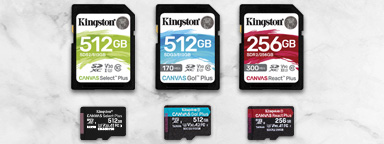
A Guide to Speed Classes for SD and microSD Cards
What does Speed Class C10 mean? What is a UHS Class and V Class? It relates directly to how fast the device needs to write the data.
-

Understanding File Systems and Drive Formatting
Choose the best file system to keep your USB drives, SSDs, and SD cards compatible.
-

How to Upgrade Your MSI Claw’s SSD
Replace your MSI Claw’s SSD: the process from start to finish.


