PC Performance - Kingston Knowledge Center
Learn about the performance benefits of SSD and memory upgrades for desktops, laptops, and workstations. Stay in the know about the latest PC and technology trends.

-
How to Make Your Gaming PC Quieter
Is your PC noise disturbing your gaming experience? Here are some causes and how to solve them.
-
How to Choose the Best RAM for Overclocking
Not all motherboards can overclock the memory. You must also consider XMP vs Plug N Play.
-

Maintaining Your SSD’s Health Using SMART Monitoring
A look into SMART monitoring, Kingston SSD manager, and other ways to maintain an SSD’s health.
-

Upgrade Your PC to Streamline Your Workflow
Take advantage of these upgrades to streamline your workflow.
-
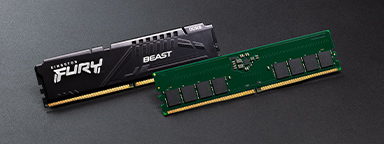
MT/s vs MHz: A Better Measure for Memory Speed
MT/s is the accurate measure for DDR SDRAM memory transfers that happen on both the rising and falling edges of the clock cycle, not MHz.
-
The Difference Between Memory and Storage in Gaming
Understand the difference between a storage medium and a gaming PC's memory.
-

Windows 11 - Does Your Organization Need to Upgrade or Refresh?
We explore the system requirements needed and the benefits of upgrading rather than replacing.
-

How to Clean Your PC System
Cleaning your system is not as hard as you might think! Check out our step-by-step guide.
-

How to Install an Internal 2.5” SSD
Installing an internal SSD is easy and can improve the overall speed of your desktop PC or laptop.
-
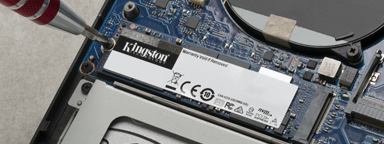
How to Install an M.2 SSD
This is a step-by-step guide on installing an M.2 SSD into a laptop or desktop PC.
-

The Kingston Workflow Station Makes Things Easy for Content Creators and Video Professionals
Learn how the Kingston Workflow Station can make file transfers out in the field faster for professionals.
-

Is it better to build or buy a gaming PC?
It seems like gamers would build their own PCs, but are the benefits still worth the time and effort?