
High-speed SSDs for desktops, laptops and workstations
Boost performance and reliability across your PCs and workstations
Kingston solid-state drives provide high-speed, reliable storage for desktops, laptops and workstations. SATA and NVMe PCIe Gen5 drives deliver faster boot times, quicker file access and smooth multitasking for creative and professional workloads.
Built for reliability, these SSDs combine speed and durability, giving creatives and professionals a responsive system they can depend on. Easy to install and compatible with most systems, Kingston SSDs are ideal for computer upgrades or new builds.
-
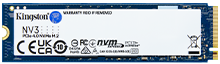
- High-speed, low-power NVMe storage
- PCIe 4.0 M.2 2280 & 2230 NVMe
- 500GB, 1TB, 2TB, 4TB
- Up to 6,000MB/s read, 5,000MB/s write
-

- USB Type-A and Type-C connectors
- USB 3.2 Gen 2
- 512GB, 1TB, 2TB
- Up to 1,050MB/s read, 950MB/s write
-
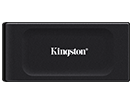
- Pocket-sized backup
- USB 3.2 Gen 2
- 1TB, 2TB
- Up to 1,050MB/s read, 1,000MB/s write
-
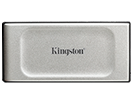
- Pocket-sized portability
- USB 3.2 Gen 2x2
- 500GB, 1TB, 2TB, 4TB
- Up to 2,000MB/s read, 2,000MB/s write
-
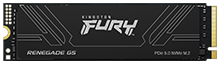
- Ideal for gamers, enthusiasts and high-power users
- PCIe 5.0 NVMe M.2 2280
- 1024GB, 2048GB, 4096GB, 8192GB
- Up to 14,800MB/s read, 14,000MB/s write
-

- Ideal for gamers and PC enthusiasts
- PCIe 4.0 NVMe M.2 2280
- 1TB, 2TB, 4TB
- Up to 7,300MBs/ read, 7,000MB/s write
-
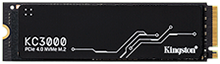
- PCIe 4.0 NVMe M.2 2280
- 512GB, 1024GB, 2048GB, 4096GB
- Up to 7,000MB/s read, 7,000MB/s write
-

- Supports a full security suite
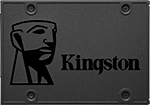
- 2.5" and mSATA
- 256GB, 512GB, 1TB, 2TB
- Up to 500MB/s read, 520MB/s write
-

- XTS-AES 256-bit encryption
- USB 3.2 Gen 1
- 960GB, 1920GB, 3840GB, 7680GB
- Up to 250MB/s read, 250MB/s write
Key features
Ultra-fast performance
Kingston high-speed SATA and NVMe SSDs reduce boot times, accelerate application loading and enable fast file transfers for demanding workloads.

Reliable and durable
Engineered for everyday use, these SSDs maintain consistent performance over time while remaining compatible across a wide range of systems, from PCs to creative workstations.

Versatile compatibility
Designed to work with desktops, laptops and workstations, Kingston SSDs deliver responsive performance for multimedia and professional applications.

Simple installation
Easy to install and compatible with most systems, making upgrades and builds quick and hassle-free.

Frequently asked questions
SATA and NVMe SSDs both store data on flash memory, but the main difference is how they connect to your computer. SATA SSDs use AHCI drivers designed for older hard-disk technology and are limited by the SATA bus to around 550MB/s speeds, still 10–15 times faster than HDDs.
NVMe, by contrast, was built specifically for SSDs. It uses the PCIe interface and bypasses AHCI, offering vastly greater bandwidth, many more command queues and far superior performance.
In practical terms, SATA SSDs already feel much faster than hard drives, but NVMe PCIe SSDs are better for tasks that need high performance, like running virtual machines or operating a 4K video editing workstation.
FAQ: SSD-Desktop-Laptop-Workstation-01
SSDs are significantly faster than HDDs; a typical HDD transfers data at up to 160MB/s, while a standard SATA SSD can reach up to 550MB/s, and PCIe Gen5 NVMe SSDs are even faster, offering speeds up to and exceeding 14,000MB/s, which is exponentially faster than a high-end HDD. This speed difference comes from SSDs not having mechanical parts, allowing for significantly faster data access and application loading compared to the spinning platters of an HDD.
FAQ: SSD-Desktop-Laptop-Workstation-02
In order to tell if your system supports an SSD upgrade, verify that it has an open 2.5" drive bay for SATA SSDs or an M.2 slot for NVMe or SATA SSDs. You can find this information in the manufacturer’s manual or by opening the system to look.
If you’re not sure, you can use Kingston’s configurator to determine what SSD drive is compatible with your system.
FAQ: SSD-Desktop-Laptop-Workstation-03
Yes, unlike HDDs, SSDs maintain consistent performance even under heavy workloads, ensuring smooth operation for tasks like machine learning, 4K video editing, large file processing, 3D rendering and data-intensive software.
FAQ: SSD-Desktop-Laptop-Workstation-04
Choosing the right SSD capacity really comes down to what you plan to use your computer for. If you mainly browse the web, stream and use light apps, 256GB to 512GB is usually enough; if you install lots of programs, games or work with large files like videos or photos, 1 or 2TB is better fit; and for gamers with a large gaming library, or for heavy creative or professional workloads, 4TB or more makes sense.
FAQ: SSD-Desktop-Laptop-Workstation-05