Kingston Knowledge Center
Learn about memory and storage products, the latest technology trends, tutorials and best practices for both personal and enterprise users.

-

Why Are USB Drives Still Relevant Today?
In this eBook, we explore how encrypted USB drives have become a key tool in keeping data secure.
-
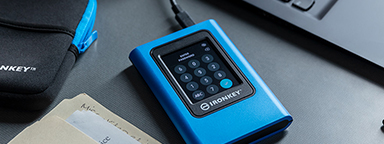
Setting Up Kingston IronKey™ Vault Privacy 80 External SSD
How to use your IronKey Vault Privacy 80 External SSD: set password, connecting to a PC and more.
-

6 Simple Backup Tips for Your Computer
Follow these tips to find out how to back up your data and be ready for unpredicted events.
-

Protect Private Mobile Data in Healthcare
Organizations are considering data security options to protect against private mobile data breaches.
-

Finance Industry: Keeping Sensitive Data Safe with Kingston IronKey
Discover how Kingston IronKey is protecting the sensitive data of the finance sector.
-

How to Choose Storage for a GoPro Camera
We help you pick the best microSD card for your GoPro.
-

How to Make Your Gaming PC Quieter
Is your PC noise disturbing your gaming experience? Here are some causes and how to solve them.
-

How to Choose the Best RAM for Overclocking
Not all motherboards can overclock the memory. You must also consider XMP vs Plug N Play.
-

Protecting Critical Data in The Energy Sector with Kingston IronKey Encrypted Drives
Here is how Kingston IronKey helped protect the sensitive data of the Energy industry.
-

Cybersecurity – How to Stay Ahead in 2022
We explore our KingstonCognate experts’ thoughts on cyberthreats and cybersecurity challenges.
-

Maintaining Your SSD’s Health Using SMART Monitoring
A look into SMART monitoring, Kingston SSD manager, and other ways to maintain an SSD’s health.
-

Software Encryption and Regulatory Compliance: Less Expensive Solution with Major Security Risks
Software based encryption can be disabled by the user. This can lead to fines and legal fees if the drive is lost.


