PC Performance - Kingston Knowledge Centre
Learn about the performance benefits of SSD and memory upgrades for desktops, laptops and workstations. Stay in the know about the latest PC and technology trends.

-
How to Choose the Best RAM for Overclocking
Not all motherboards can overclock the memory. You must also consider XMP vs Plug N Play.
-

Maintaining your SSD’s health using SMART monitoring
A look into SMART monitoring, Kingston SSD manager and other ways to maintain an SSD’s health.
-
What is the difference between PCIe Gen 3 and PCIe Gen 4?
PCIe Gen 4 accommodates full bandwidth that is possible with NVMe SSDs tech.
-

Upgrade your PC to streamline your workflow
Take advantage of these upgrades to streamline your workflow.
-
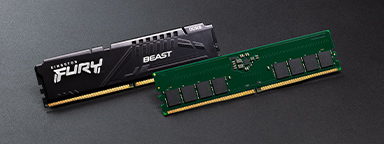
MT/s vs MHz: A better measure for memory speed
MT/s is the accurate measure for DDR SDRAM memory transfers that happen on both the rising and falling edges of the clock cycle, not MHz.
-
The difference between memory and storage in gaming
Understand the difference between a storage medium and a gaming PC's memory.
-

Windows 11 - Does your organisation need to upgrade or refresh?
We explore the system requirements needed and the benefits of upgrading rather than replacing.
-

How to clean your PC system
Cleaning your system is not as hard as you might think! Check out our step-by-step guide.
-

How to install a 2.5” SSD – Kingston Technology
Installing an SSD is easy and can improve the overall speed of your desktop PC or laptop.
-
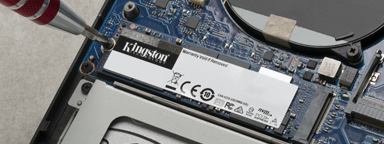
How to install an M.2 PCIe NVMe SSD
This is a step-by-step guide to installing an M.2 SSD into a laptop or desktop PC.
-

The Kingston Workflow Station makes things easy for content creators and video professionals
Learn how the Kingston Workflow Station can make file transfers out in the field faster for professionals.
-

Is it better to build or buy a gaming PC?
It seems like gamers would build their own PCs, but are the benefits still worth the time and effort?