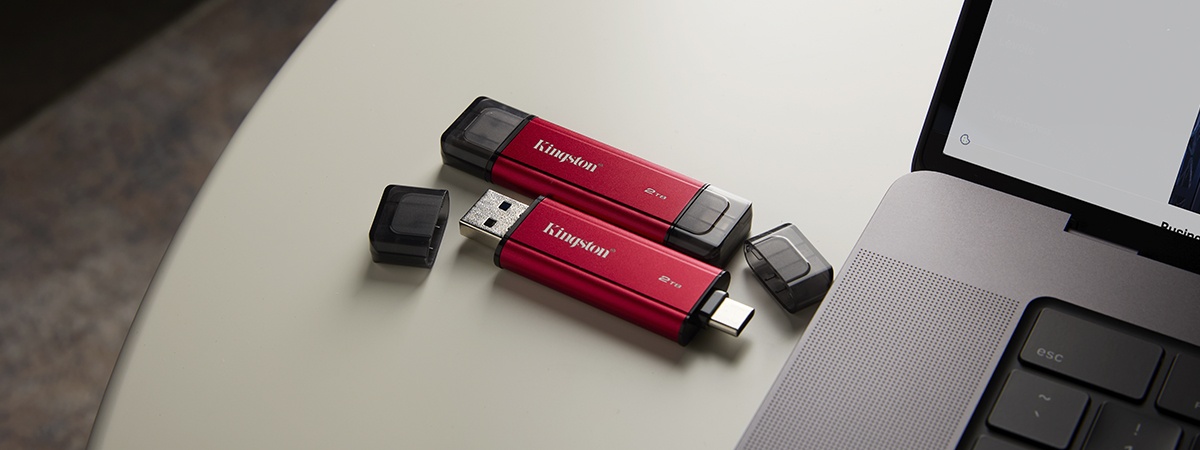
An external or portable SSD is a high-performance storage drive that you can plug into your computer via the USB port in your PC, laptop, gaming console, mobile device and more. Unlike traditional hard drives with spinning disks, external SSDs use flash memory, which makes them faster, lighter and more durable. That means shorter waiting times for big files to transfer, easier transportation, and a drop or bump won’t instantly ruin your data.
They’re perfect for backups, video editing, gaming or accessing important files on the go. Compact, speedy and tough, a portable SSD is basically the storage sidekick you didn’t know you needed.
From streaming large video projects to expanding your gaming library, the use cases for external SSDs are almost endless. In this article, we’ll break down the top uses, benefits, as well as some frequently asked questions, to help you get the most out of your external SSD.
What are the key advantages of using external SSDs?
If you’ve ever waited a long time for a file to transfer or struggled with a bulky external hard drive, an external SSD can feel like a breath of fresh air. From lightning-fast transfers to rugged portability, these drives offer advantages that make them essential for work, gaming or creative projects. Here’s why they stand out.
The speed advantage of external SSDs
When we talk about how fast external SSD speeds are, we really mean it. Drives like the XS2000 external SSD can reach read/write speeds of 2,000MB/s, leaving traditional spinning hard drives far behind. That kind of performance makes transferring large video files, high-resolution images and game libraries quick and easy. For video editors, gamers and anyone with demanding workloads, an external SSD is a necessity. Faster access means more productivity and less waiting around for files to catch up.
Portability, durability and backup for on-the-go use
One of the biggest advantages of an external SSD is how easy it is to carry without fear. They are compact and rugged, which makes these drives ideal for travel, mobile work or safely backing up data away from your OS. Most external SSDs can handle bumps, drops and minor spills, keeping your data safe even when your coffee cup isn’t.
Seamless compatibility: plug, play and go
External SSDs are built to work across devices with minimal setup, so you can move files between laptops, desktops and even consoles effortlessly. Forget about messy drivers or compatibility headaches, an external SSD simplifies your workflow while boosting speed and efficiency.