USB-A and USB-C® connectors for maximum compatibility
Works with your USB Type-C and Type-A devices for easy file storage and sharing.
We notice you are currently visiting the UK site. Would you like to visit our main site instead?
Your web browser is out of date. Update your browser now for better experience on this site. https://browser-update.org/update-browser.html
Kingston® DataTraveler® Duo features dual USB connectors that work with both USB Type-A and USB Type-C®{{Footnote.N59135}} ports for maximum compatibility. The innovative dual moving cap design makes the drive stylish and convenient, with no cap to lose. With capacities of up to 256GB{{Footnote.N47164}}, you can easily access and transfer documents, photos, videos, music and more between your USB-A and USB-C devices with the DT Duo. The product is backed by a five-year limited warranty, free technical support and legendary Kingston® reliability.
| Capacities{{Footnote.N47164}} | 128GB, 256GB |
| Interface | USB Type-A and USB Type-C®{{Footnote.N59135}} |
| Standard/Speed{{Footnote.N59013}} | USB 3.2 Gen 1 |
| Operating temperature | 0°C~60°C |
| Storage temperature | -20°C~85°C |
| Dimensions | 64mm x 21.2mm x 10.4mm |
| Weight | 10g |
| Warranty/support | 5-year warranty with free technical support |
| Compatible with | Windows® 11, macOS® (v. 13.7.6 +), Linux (v. 4.4x +), Chrome OS™ |
USB-A and USB-C connectors
Innovative dual moving cap design
High capacity storage of up to 256GB{{Footnote.N47164}}
Works with your USB Type-C and Type-A devices for easy file storage and sharing.
The unique design keeps the connectors safe and protected.
Capacities of up to 256GB{{Footnote.N47164}} for large files and videos.
Getting the most from a USB flash drive on a Windows PC is excellent for the ease of storing and sharing files. These instructions will help you optimise your USB usage.
Getting the most from a USB flash drive on a Mac is a matter of correctly storing and sharing files.
Getting the most from your USB flash drive on Ubuntu 22 makes storing and sharing files a breeze. Whether you call them flash drives, thumb drives, USB drives or memory sticks, this advice will help you get the maximum utility from your peripheral.
If you need to erase your data from a USB drive, or configure a drive to work on a Mac instead of a PC, this video can show you how to format a USB drive. You can prep it to organise your data and maximise space for your files.
There is a variety of USB types, it's so confusing! We’ll demystify the naming process so that you know exactly what you are getting and whether or not it fits your specific needs.
Learn how to erase SSDs, hard drives or any other storage media so that the data is really gone forever.
If you need more space, whether it’s to upgrade to a new version of MacOS or to download more apps – we’re here to help you out.
How to physically clean dust from your computer and delete old files you no longer need from your drives.
Learn how to find the drive in Windows Explorer, open files, and copy files to and from a USB flash drive on Windows 10.
We go over how to use a USB drive, thumb drive, flash drive, pendrive, etc. on a Mac computer.
There’s a few different ways to backup your Windows and Mac drives and they can be either online or local. We’ll show you how.
Step‑by‑step guide to formatting your SSD and choosing the right settings.
Losing important files on your system can be a pain. Here are some file recovery options to try.
Choose the best file system to keep your USB drives, SSDs and SD cards compatible.
SSDs can fail, HDDs can fail–but how often, and how fast?
Learn how to install a new SSD in your ROG Xbox Ally with this step-by-step guide.
See how NAND architecture and cell design affect endurance, performance, capacity, and cost.
The SD8.0 differs from its predecessors so greatly a whole new speed class was created for it.
USB compatibility issues? Learn how to format drives correctly for both Mac and PC.
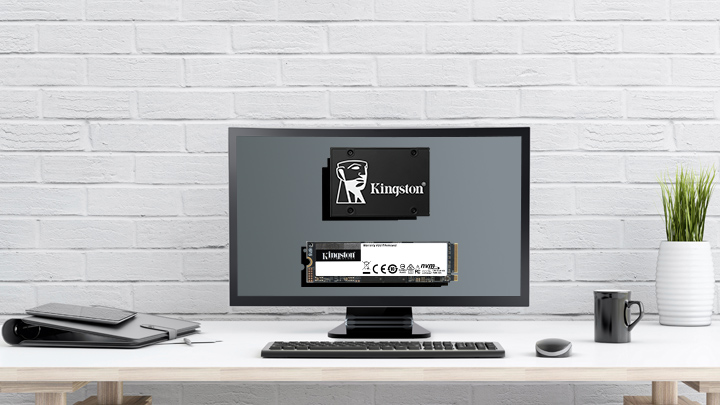
Upgraded your SSD? Reuse the old one as extra storage with a DIY enclosure or adapter.
Discover how encrypted USB drives protect your data, and which type fits your needs.
Learn the right way to protect data and prepare it for safe reuse or recycling.
What does Speed Class C10 mean? What is a UHS Class and V Class? It relates directly to how fast the device needs to write the data.
Replace your MSI Claw’s SSD: the process from start to finish.
An examination of the past, present and future USB standards.
Learn how to create a bootable USB on Windows 11 with tools, steps and tips.
Explore external SSD uses for gaming, video editing, backups and portability.
Do SSDs need cooling? Learn when NVMe SSDs need a heatsink and how to prevent throttling.
It comes with 32GB of internal storage, expandable with a microSD card that will hold more games. But how do you pick a card?
USB 3.1 Gen 1 supports speeds of up to 5Gbit/s, while USB 3.1 Gen 2 supports speeds of up to 10Gbit/s.
Learn how to upgrade your Steam Deck with Kingston’s comprehensive guide.
Kingston provides advice on making your family media collection efficient and user friendly.
This latest version can use a lot of memory, so optimise your computer’s performance with these tips.
Reasons why a NAS would benefit your home or small office setup.
Improve your storage, file organisation and more with our external SSDs.
Learn more about the benefits of choosing different microSD cards for your dashcam.
Find out why Young Driver chooses Kingston’s microSD cards for in-car recording.
USB-C is a small, slim connector. Its symmetrical and reversible shape is what make it popular.
Extend the lifespan of your SSD and boost your system's performance with these tips.
Do you need to upgrade your memory or storage for your desired PC performance?
Demonstrate your photography talents with a professional portfolio that features these tips.
Tips and pointers for getting the best from your camera when shooting outdoors.
The iPhone 15 opens a new world of external USB-C storage. But which drives will work with it?
Simple tasks you can do at home to get more life out of an old PC.
Which has more advantages for consumers improving their computers: an HDD or external SSD?
Limited storage capacity can cause poor performance. Here is how to get space on your SSD.
Learn why industrial memory cards are perfect for the growing field of trail camera photography.
Photographers can store and archive their images by following our best practices.
There are two types of M.2 SSDs available, which are SATA and NVMe. Learn more about each type.
You can read and write to an encrypted USB flash drive with an iPad or iPhone with the right adaptor. Here’s how.
What can SSDs do for videographers? SSDs’ speed, reliability, security are perfect for video.
Thoughts from a pro photographer on Kingston memory cards and other photography gear.
Here are some drone basics and tips to assist with your sky-high photography.
Encryption is an incredibly helpful option for creatives to protect their clients’ important files.
Garbage Collection and TRIM optimise your SSD’s NAND. But how does it really work?
How to use your IronKey Vault Privacy 80 External SSD: set password, connecting to a PC and more.
Follow these tips to find out how to back up your data and be ready for unpredicted events.
We help you pick the best microSD card for your GoPro.
A look into SMART monitoring, Kingston SSD manager and other ways to maintain an SSD’s health.
Valve’s Steam Deck uses microSD cards for expanded storage. Which one is right for you?
Take advantage of these upgrades to streamline your workflow.
It’s a multi-lane operation for new hosts and devices using the USB-C® connector.
This article will look at some of the best storage options available for your gaming console.
When selecting an SSD, you must know which form factor you need. M.2, mSATA or SATA?
Here we look at the best storage options for creatives - memory cards, SSDs, HDDs and the cloud.
First, look for Class A1 or Class A2 markings. As for capacity, microSD cards can hold up to 512GB of storage.
Storage is a crucial part when using a dashcam and high-endurance cards are designed especially for heavy use.
Electronics donation and recycling is a great way to help conserve resources and natural materials.
The high-performance DC500M Server SSD is the best storage choice for a pro videographer.
Setting parental controls on your computer doesn’t have to be complicated, here is how.
Write your diary digitally with a password protected, cloud backup solution.
Here are some tech gift ideas for the STEAM students in your life.
Installing an SSD is easy and can improve the overall speed of your desktop PC or laptop.
This is a step-by-step guide to installing an M.2 SSD into a laptop or desktop PC.
Learn how the Kingston Workflow Station can make file transfers out in the field faster for professionals.
SSDs are more durable, reliable, faster, smaller, lighter, silent and power efficient than traditional hard drives.
Secure important personal and private information on a PC with a hardware-encrypted SSD.
Why should you choose an SSD over an HDD? The main factor is better performance from SSDs.
Flash memory cards (SD or microSD) for capturing 4K video need to have the right card capacity, write speed, data transfer speed and video speed.
More DRAM means faster PC performance when editing from video, from playback responsiveness to render time. But is 8, 16, 32 or 64GB enough? How much do you need for 1080p, 4K, or 8K?
NVMe is the new protocol for flash storage while SATA was a hold-over from HDD.
What is the best class, capacity and endurance-level microSD card to use with a Raspberry Pi
When selecting storage for your security camera, you must consider the memory card’s capacity, speed and durability.
How can a SD or microSD card be rated at both C10 and U3 if one means 10MB/s and the other means 30MB/s? Let us explain.
What is the difference between SDHC and SDXC cards? We help you choose the right card for cameras, drones, phones and more.
There are many factors in choosing a memory card, such as speed, capacity and device type. We’ll help you choose the right card.
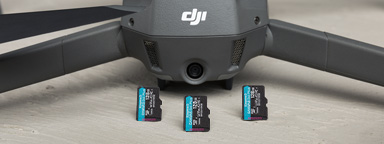
How fast does the write speed and capacity of a microSD card for drones really need to be? And how many cards do you need?
Understand the difference between a storage medium and a system's dynamic random-access memory.
Learn about types of NAND in SSDs like SLC, MLC, TLC, QLC and 3D NAND. What is wear levelling?
Having a dedicated workspace, setting priorities and eliminating distractions are just a few ways to increase productivity from home.
If you’re finding that your PC performance is slowing down, these tips can help improve your speeds and PC efficiency.
There are a few ways to speed up a slow iMac or MacBook that don’t require any hardware or software upgrades.
To work from home you need a good workspace for your PC, the right conferencing gear, and a secure connection.
OTG drives function just like a standard Flash drive and are easier and more convenient than using cloud services.
A chart which shows how many images, videos and files you can store on SSD drives, USB flash drives and memory flash cards.