Ask a Server SSD Expert
Planning the right solution requires an understanding of your project's storage goals. Let Kingston's experts guide you.
We notice you are currently visiting the UK site. Would you like to visit our main site instead?
Your web browser is out of date. Update your browser now for better experience on this site. https://browser-update.org/update-browser.html
For IT departments, evaluating storage products is an important process that can determine the entire shape of a company’s digital infrastructure. A poorly architected storage solution can substantially impair a department’s performance and lead to major outages or, in worst case scenarios, permanent data loss. However, an intelligent decision, made with the right factors in mind, can provide an organisation with a scalable shared storage solution that is able to meet the performance and reliability service-level objectives of the proposed system design.
Especially on a larger scale, maintaining IT architecture can be like keeping an old car operational. It’s expensive and resource intensive if you don’t have the time or money to source a better alternative. IT sysadmins working with antiquated and inefficient hardware can struggle to catch up and support data transformation initiatives.

When designing a greenfield solution, it’s important to first understand the high-level architecture and system design of the proposed solution and understand the possible resource bottlenecks throughout the entire stack. This will enable application and storage architects to choose and design the suitable storage solution. We highlight some key questions that storage architects should be asking to help make an informed decision:
When onboarding new applications, it’s important to understand the kind of data being stored to make an informed decision about whether to use block, file or object storage.
Block storage is the most common use case for DAS and SAN environments. In the case of DAS, an entire RAID volume or physical drive is presented to the OS as a raw, unformatted volume. In the case of SAN environments, the entire LUN (compromised of several physical drives) presented from the storage array is presented to the OS through a high-speed network and appears as a raw unformatted volume. The underlying layers of the raw volume consist of smaller extents or sectors that the operating system handles and then the underlying storage subsystem is able to map those logical blocks to specific physical blocks on the specific drive(s). Block-level storage is fast, reliable and most ideal for continuously changing data like relational databases, online transaction processing (OLTP) databases, email servers or virtual desktop infrastructure, where high transaction throughput and low latency are requirements.
Object storage stores data (and the associated metadata) in containers with unique identifiers, with no folders or subdirectories like those associated with file storage. It uses the concept of key-value stores, where each key points to a specific “value” or piece of data and is retrieved via APIs.
It is mainly used to handle large amounts of unstructured data, like emails, backup images, video surveillance footage or, in IoT, data management for machine learning and data analytics. Object storage is good for handling very large amounts of data and can scale as quickly as the application requires but is slow at data retrieval, making it inefficient for databases or high-performance computing. Examples of object storage are Amazon S3, Google Cloud object storage or Azure Blob storage.
File storage stores data in files, organised in folders and subdirectories, and is shared over a network using SMB (Windows) or NFS (Linux). It’s good for centralising storage files like videos, images or documents but has limited scalability as the amount of data continues to grow. It is not the most suitable application to handle very large amounts of unstructured data or continuously changing data like OLTP databases.

Successful enterprises therefore concern themselves with building High-Performance Computing systems (HPCs). They leverage local databases and data services to perform transactional computation and then enable native integration with cloud object stores to store large amounts of unstructured data. This enables the throughput and IOPS-intensive transactions to occur in local data centers’ fast block and file storage, coupled with slower cloud object storage for storing a large amount of unstructured data.
Large-scale data processing requires a data storage solution based on the type of data that your enterprise needs to analyse. For example, to process and analyse unstructured on-prem or cloud-based data, companies need a file data platform for a hybrid storage infrastructure, one which can provide real-time analytics and insights.
A central pillar of evaluating storage products is testing and validating them. The benefits of testing are many. Improved application performance, storage cost optimisation and risk mitigation are all outcomes that can be tested for with the right tools. That said, small or underfunded IT departments can find it hard to do so, as DIY or shareware tools often prevent the rigorous variety of testing necessary to replicate a company’s real-world production environment.
Testing can be used to answer any or all these questions:
If you are choosing a scalable enterprise data storage solution, it is vital to pay attention to how your chosen storage works with data and apps.
A great product can sadly be undermined by a lack of support team to help an enterprise manage any issues it has during use. Conversely, a good product can be raised to new heights by the exceptional efforts of its technical support staff. It may be worth accounting for your existing professional relationship with your enterprise’s incumbent storage vendor when making a decision regarding a potential change in your storage solution. Additionally, any service level agreements (SLAs) such as meeting KPIs like latency, throughput or IOPS during specific workloads should impact your choice. If your intended vendor has a strong reputation in the industry (for example, they generally exceed the industry-standard benchmarks), you can take them at their word when they advertise features such as high IOPS and throughput at acceptable latency for each platform.
Another element to keep in mind is the cost of any storage products that you’re considering. Not only the cost of acquisition, but also the cost of maintenance and total cost of ownership (TCO) should be accounted for.
#KingstonIsWithYou
Was this helpful?
Planning the right solution requires an understanding of your project's storage goals. Let Kingston's experts guide you.

No products match your current filter selection. Try adjusting your filters to explore more options.
Questions to ask when seeking the right SSD for your organisation’s data center.

Test SSDs to know the real endurance, changes in latency and IOPS in sequential and random read or write scenarios.

SSD test beds for enterprise servers should be done with the real hardware, OS and data. We’ll explain why.
A white paper assessing the Kingston DC3000ME SSD’s performance under storage pressure.
How power loss protection helps SSDs safeguard data during sudden power loss.
A real‑world look at modernizing server infrastructure for high‑traffic digital platforms.
A look at how companies manage their systems when cloud computing is unavailable.
How ECC in memory and SSDs protects data integrity and reliability in server environments.
Your guide to EU data sovereignty, risks, and secure data storage strategies.
10 expert tips for buying server memory: ECC, compatibility and performance.
Explore server memory types and how each affects server performance and reliability.
Key drivers for IT adoption include the many benefits in virtualising a data center and consolidating server hardware.
From performance to DDR5, this Xeon 6 guide helps enterprises understand next-gen processors.
Machine learning training is resource-intensive, but how does a Kingston SSD measure up to the task?
Learn why DDR5 server memory improves data center performance and efficiency.
Kingston and Taiwan Intelligent Robotics Company highlight smart manufacturing and AI, powered by Kingston’s trusted technology.
Learn how innovative memory solutions are transforming laptops, desktops and data centers.
Explore how SSDs are transforming data centers with advanced technology and performance.
Learn how Kingston SSDs transformed Mission Digital’s workflow with speed and capacity.
Join Simon Bestman to explore SSD benefits over HDDs and the latest storage trends.
Reasons why a NAS would benefit your home or small office setup.
System integrators in India grew their business and reputation using Kingston’s reliable products.
Here is a list of USB security features to consider for data protection.
Learn what the 3-2-1 data backup method is and why it is your best defence against ransomware.
Simon Besteman explains the current and future challenges for data centers.
Explore DRAM technology’s evolution and gain insights into future trends in our eBook.
Built for disparate purposes, client SSDs and enterprise SSDs have different properties.
Learn how Terabytes Written and Drive Writes Per Day are defined, and their differences.
We explore the different types of memory & how to make the right choice for your server.
Read the whitepaper to learn how DC600M helps vSAN demand performance and efficiency.
Kingston sets industry standards with unwavering commitment to quality and reliability.
Kingston and QNAP have improved the efficiency of digital cinemas with their hardware.
Here are some key points to help you better balance price, performance and longevity.
Elevate your data center with Kingston's VMware compatible DC600M enterprise SSDs.
Assess your existing server hardware to extend its lifespan and maximise your investment.
We discuss the journey of digital twin technology, exploring real-world examples for success.
In this whitepaper, we explain the benefits of SDS, vs their HW and SW RAID counterparts.
In this video, we explain how Kingston and 2CRSi work together to solve data center challenges.
Learn why APLIGO chose Kingston SSD and Memory to support their system integration business.
Learn how Kingston supported a leading hosting provider with optimal configuration.
Kingston examines how its DC1500M Enterprise NVMe SSD affects workloads and compares to competitors.
From shooting to post-production, encoding and distribution at data centers, SSDs and RAM are powering the world of OTT Media & Entertainment (M&E) video and audio streaming.
We explore the top 12 tips small and medium size enterprises can take to enhance cybersecurity.
This infographic is about the different types of data centers, the myths and Kingston's DC solutions.
Read our eBook, about the rise of digital transformation and what the future holds.
Bill Mew shares his thoughts how the largest security challenges need commitment from the boardroom.
Rob May shares his thoughts on how close we are to edge computing and the security it requires.
Memory and storage have evolved over the years, get an insight from our industry expert.
Kingston helped to optimise Simply Hosting’s storage in their data centers to ensure they were always on.
Learn how Kingston helped to lower power costs, increase performance so Hostmein could deliver on SLAs.
In this eBook we speak with experts about IoT’s journey and prepare organisations for IoT’s future.
The pandemic has increased internet traffic, which has placed importance on the role of data centers.
Cameron Crandall of Kingston helps you decide if you should move to your server storage to NVMe SSDs.
Join industry experts to discuss how technology partners like Kingston support their business growth and sustainability.
NVMe over Fabric helps CPUs to run more efficiently with lower latency and higher throughput.
Industry experts discuss topics like the key pillars of Tech relationships, sustainability and IT optimisation.
The switch to NVMe requires a full-stack review from IT architects to ensure redundancy exists on every layer of the stack.
In this eBook, we talk to industry experts as we explore the benefits of Artificial Intelligence, how it’s fuelling data consumption and how you can prepare your organisation for the opportunities it presents.
Here are seven of the predictions of what will drive NVMe adoption for 2021
MSP industry expert Rob May’s insight into how memory/storage upgrades helps companies with remote workers.
Don’t pick the wrong type of SSD for your server. A wrong choice means a higher cost of ownership. Learn to pick the right SSDs.
Learn how Hosteur supported their rapid growth & SLAs with Kingston Enterprise products & services.
Data centres should be using server SSDs. There are many benefits over client drives and costs have come down.
NVMe is now the standard protocol for SSDs to empower data centres and enterprise environments.
Cloud and on-premise data centre managers can learn a lot from supercomputing.
SDS hasn’t lived up to its hype but now that NVMe is more affordable, the commodity hardware is ready to deliver.
Choosing the right SSD for your server is important since server SSDs are optimized to perform at a predictable latency level while client (desktop/laptop) SSDs are not. These difference result in better uptime and less lag for critical apps and services.
Industry Expert, Simon Besteman provide insight on why 5G demands edge computing in micro data centers.
Kingston delivered compatible memory that met the performance goals of i3D.net's servers, extending the service life of their existing hardware.
Why is Edge Computing Data Centers important for 5G? Download and read Kingston’s eBook on Edge Servers and the 5G rollout.
This whitepaper demonstrates how using Kingston Technology’s Data Centre DC500 SSDs can reduce your overall capital and licence costs by 39%.
Data Center 500 Series SSDs (DC500R / DC500M) – Consistency, predictability of Latency (response time) and IOPS (I/Os Per Second) performance.
A percentage of space on an SSD is reserved for OP in firmware. OP can improve performance.
Frequently asked questions around SSD technologies and terms like SATA, M.2, NAND, RAID, NVMe, PCIe, SAS, and keying.
Kingston uses LSI® SandForce®-based controllers in some SSDs that use proprietary tech for Garbage Collection.
SDS provides a policy-based control of data tiers, independent of the underlying storage hardware.
Kingston datacenter SSDs provide excellent resiliency to protect sensitive data in OLTP workloads.
HPC can require massive amounts of data. SSDs consume a fraction of the power of their spinning disk.
End-to-End Data Protection protects customer’s data as soon as it is transferred by the host system to the SSD, and then from the SSD to the host computer. All Kingston SSDs incorporate this protection.
Storage can be the most challenging component for VDI performance.
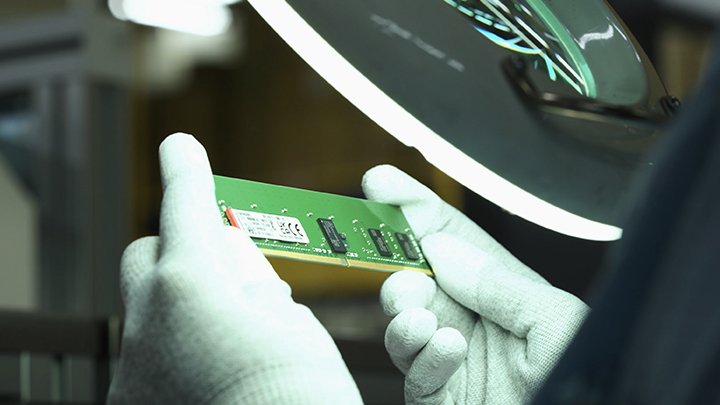
Testing is a cornerstone of our commitment to deliver the most reliable products on the market. We perform rigorous tests on all of our products during each stage of production. These tests ensure quality control throughout the entire manufacturing process.
Learn how DDR4 delivers faster speeds, reduced power consumption and increased capacity over DDR3.